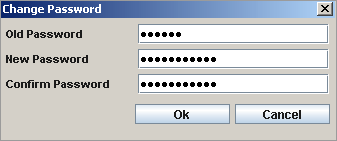
The Change Password option available with NetPlus allows you to change your Password as and when required.
To Change your Password:
| 1. | Go to the File menu on the Main toolbar > Click on Change Password. This displays the Change Password window. |
In the Change Password window:
| 2. | Enter your Old Password. |
| 3. | Enter your New Password. |
| 4. | Re-enter your New Password in the Confirm Password field. |
| 5. | Click Ok. This will change your password. |
Change Password window